
Download MiniTool Power Data Recovery – data recovery, file recovery, recovery tool, free data recovery
Overview
MiniTool Power Data Recovery is a specialized software solution designed to assist home users in retrieving lost or inaccessible data from various storage devices. The application serves as a comprehensive data recovery tool, addressing common scenarios such as accidental file deletion, disk formatting, partition corruption, and media damage. Its primary purpose is to restore user data without requiring advanced technical knowledge, making it accessible to non-expert users. The software is particularly valuable in situations where data loss occurs due to human error or unexpected system failures. Target users include individuals managing personal documents, photos, videos, and other critical digital assets on desktop or portable storage devices. While the developer, MiniTool, is known in the data recovery space, specific organizational details were not provided. Real-world use cases include recovering photos from a corrupted memory card, retrieving files from a reformatted USB drive, or restoring data from a damaged hard disk. In the broader app ecosystem, MiniTool Power Data Recovery fills a niche for reliable, free, and accessible recovery utilities. The software’s emphasis on usability and broad device support positions it as a practical tool for everyday users seeking a secure and efficient way to recover lost information.Key Features & Functionality
The application offers a suite of five dedicated data recovery modules, each tailored to specific data loss scenarios. The Undelete Recovery module targets files that were recently deleted from the system, enabling users to retrieve them before the space is overwritten. The Damaged Partition Recovery feature is designed to restore data from partitions that have become inaccessible due to corruption or system errors. The Lost Partition Recovery module focuses on recovering entire partitions that have disappeared due to accidental deletion or disk misconfiguration. The Digital Media Recovery module supports recovery from cameras, smartphones, and other digital devices, while the CD/DVD Recovery module handles data from optical media. These modules operate through a step-by-step wizard, simplifying the recovery process. Users can scan their storage devices, preview recoverable files, and selectively restore them with minimal effort. The software supports a wide range of devices, including hard disks, RAID arrays, memory cards, USB drives, and flash drives. A notable feature of the free edition is the 1 GB data recovery limit, which allows users to recover a substantial amount of data at no cost. This makes the tool especially appealing for users seeking a powerful yet budget-friendly solution. The intuitive interface ensures that even those without technical expertise can navigate the recovery workflow effectively.Step-by-Step Recovery Workflow
The recovery process begins with selecting the target device, followed by choosing a recovery mode based on the data loss scenario. The software then performs a deep scan, analyzing the device’s structure and identifying recoverable files. Users can preview files before recovery to ensure accuracy. The final step involves selecting the destination folder and initiating the recovery. This structured approach reduces the risk of overwriting existing data and increases the chances of successful restoration.Interface, UX & Performance
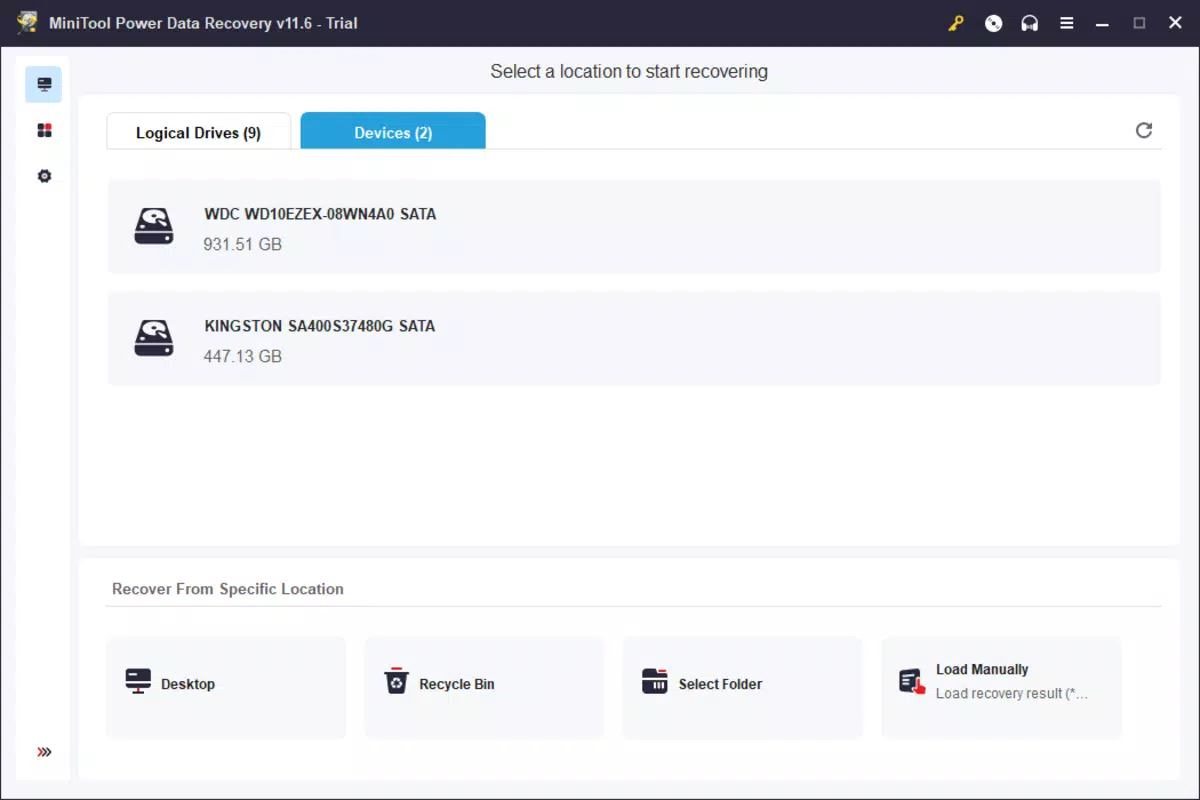
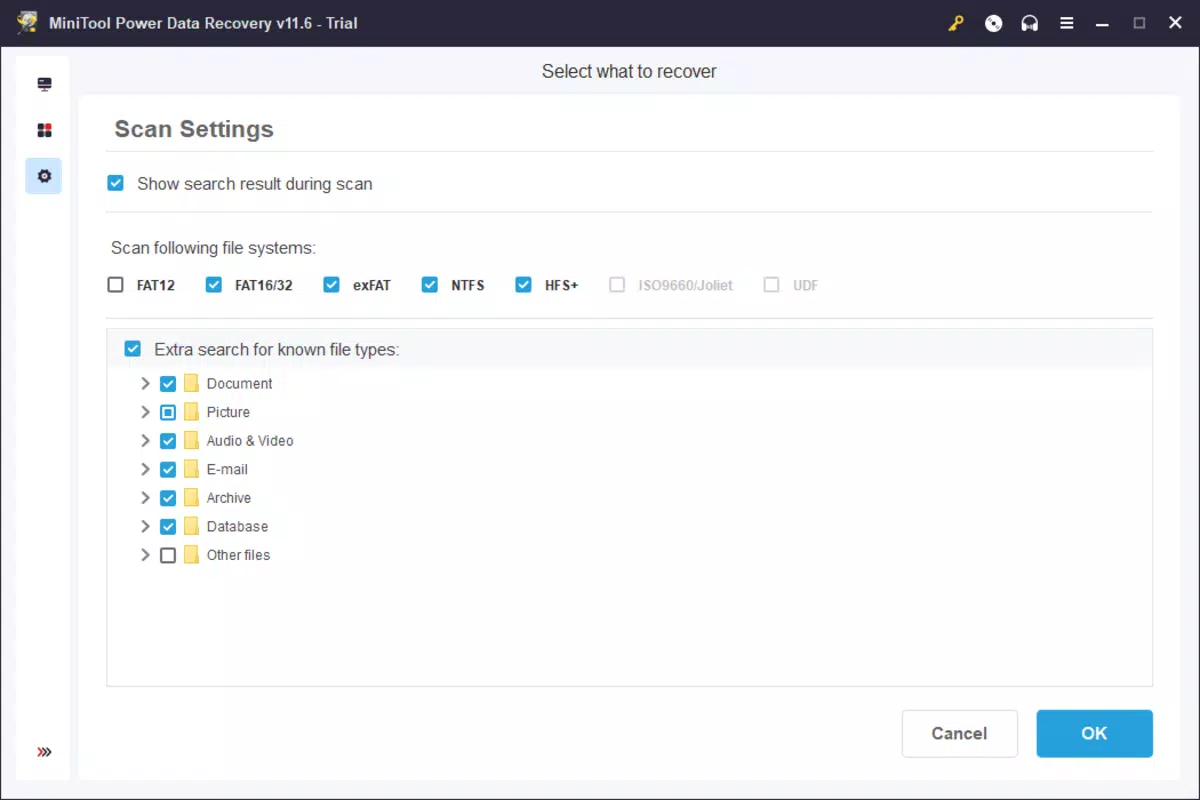
The user interface of MiniTool Power Data Recovery is designed with simplicity and clarity in mind. The layout is logically organized, featuring a clean navigation panel, progress indicators, and clearly labeled buttons. Visual cues such as icons and color-coded status messages help users track the recovery process in real time. Navigation is straightforward, with a linear workflow that guides users through each recovery stage without unnecessary complexity. The software maintains a responsive interface, even when scanning large storage devices, though specific performance metrics were not disclosed. Stability appears consistent, with no reported issues related to crashes or freezes during standard use. Although the developer did not list formal performance metrics, the application functions reliably across various device types, including HDDs, SSDs, and removable media. The interface adapts well to different screen resolutions, ensuring readability and usability on both standard and high-DPI displays. Overall, the user experience is optimized for accessibility, minimizing the learning curve for first-time users. The software’s lightweight design contributes to efficient operation without excessive resource consumption.Platform Compatibility & Technical Requirements
MiniTool Power Data Recovery is available exclusively for Windows operating systems. The current version is 10.5, with a file size of 134.6 MB. The software is compatible with modern Windows platforms, though specific OS version requirements were not listed. Users should ensure their system meets standard Windows compatibility standards for running utility software. The application does not require administrative privileges for basic recovery tasks, though some advanced functions may need elevated access. The installation package is compact, allowing for quick deployment on devices with limited storage. No additional dependencies or third-party components are required for core functionality. The developer did not specify minimum hardware requirements, so users should rely on general system capabilities when installing the software. Compatibility with external storage devices is broad, supporting a wide array of formats and connection types.Pros and Cons
- Free edition includes a 1 GB data recovery limit, offering substantial value for cost-conscious users
- Intuitive, step-by-step interface suitable for non-technical users
- Supports recovery from multiple storage devices, including hard drives, memory cards, and USB drives
- Comprehensive recovery modules tailored to specific data loss scenarios
- Lightweight and efficient, with minimal system resource usage
- Free version limits recovery to 1 GB, which may not suffice for large-scale data recovery
- No mobile platform support; limited to Windows only
- Developer did not provide detailed technical specifications or compatibility requirements
- Advanced recovery features may require a paid upgrade
- Performance benchmarks and stability data were not disclosed


